
Dock planning · 3 MIN READ
Wave Armor vs. EZ Dock: Comparing Complete Dock Systems
By AquaLife Construction · Updated
A brand comparison is most useful when both proposals solve the same problem. Start with one waterfront brief, then compare the actual layouts and components. AquaLife sells and installs Wave Armor; this guide explains what to examine rather than declaring one brand right for every site.
Give both suppliers the same brief
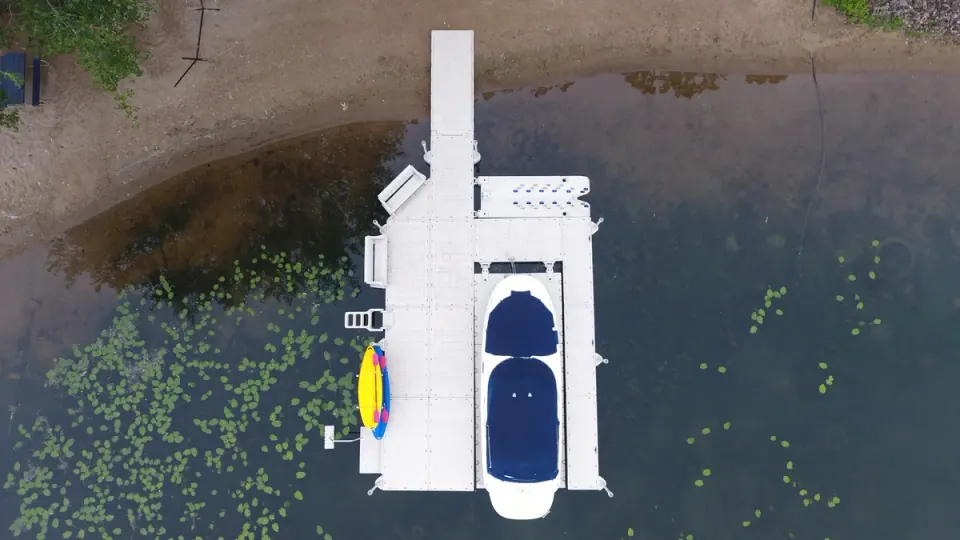
Share depth, water-level changes, exposure, boat sizes and the way you want to use the dock. Mark the shore connection and any space limits. Include accessories from the beginning so one proposal does not appear less expensive simply because it omits them.
Ask for a layout and a component list. Compare usable walking space after boats, benches and other equipment are in place.
Understand flotation without overreading the label
Wave Armor uses foam-filled flotation in its dock system; EZ Dock describes air-filled flotation chambers. Those construction differences do not, by themselves, establish which complete layout will feel steadier at your shoreline.
Flotation, platform geometry, loading, connections and exposure work together. Where possible, visit an installed system and ask about the conditions it was planned for. One calm-water demonstration is not a test of every configuration.
Ask for these details in each proposal
Swipe the table to compare all columns.
| Compare | Request a clear answer |
|---|---|
| Layout and loading | Which sections and accessories are included, and what use is the layout planned for? |
| Connections and anchoring | Which approved components suit the structure and water-level range? |
| Access | How will the shore transition, boarding and walking routes work? |
| Repair and parts | What can be replaced separately, and how is service performed? |
| Expansion | What must change if another section, port or canopy is added? |
| Ownership | What inspection, seasonal handling and warranty terms apply? |
Look at service access and parts
Ask how individual components are inspected and replaced. A proprietary connector is not automatically a drawback, and using a common tool does not mean ordinary hardware can replace a specified part.
For a damaged section, obtain the manufacturer’s repair guidance rather than inferring remaining capacity from the outside appearance. Compare the support and parts available for the exact system offered.
Read winter instructions and warranty terms together
Compare the current written terms for the dock, ports and accessories. Warranty duration is not an ice rating. Wave Armor recommends winter removal where ice is present; obtain the instructions for the proposed EZ Dock arrangement as well.
Price the handling, storage and reinstallation needed for each proposal. Those practical differences are more useful than a general claim of low maintenance.
Choose the arrangement you can understand and maintain
A clear proposal explains why the layout fits, how it connects and what ownership involves. Ask for examples relevant to your setting, then check the details against your own property. A smaller well-planned dock may serve you better than extra area that complicates access.
If you are choosing a PWC port rather than a complete dock, compare the craft and support arrangement separately. Dock sections and drive-on ports solve different problems.